
From Spreadsheets to Enterprise Systems: A Migration Guide
A roadmap for moving a spreadsheet-run operation onto a scalable system: the warning signs, a five-step migration, and where spreadsheets rightly stay.
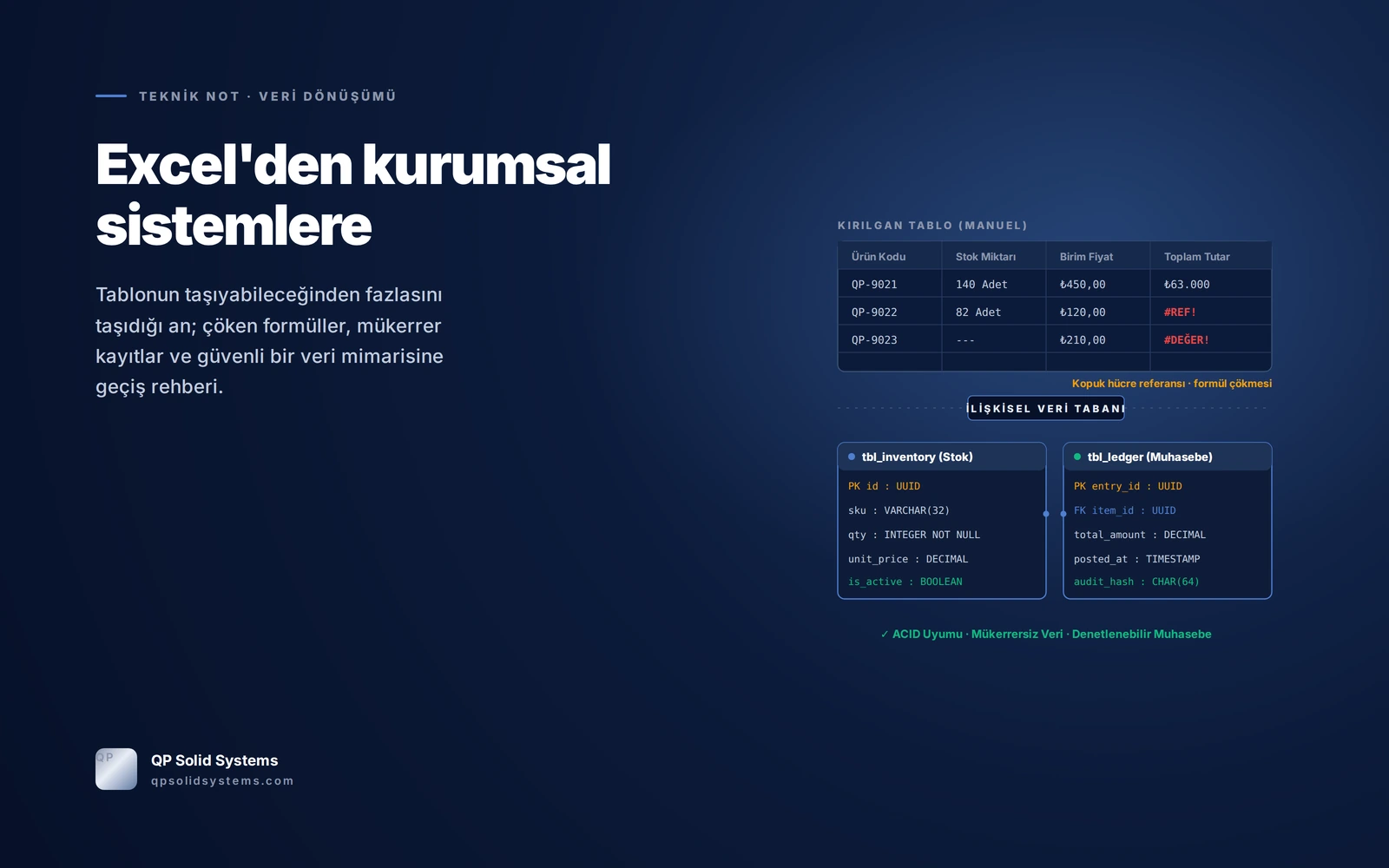
Spreadsheets start fast but grow brittle as the operation grows. Moving off Excel is not a change of tool; it is an architectural decision about who owns the data and how reliably decisions get made.
Excel is a calculation sheet, not a database with transactional guarantees. The day several people open the same file, data is copied and pasted between sheets, and commercial accounting is entrusted to cell formulas, the spreadsheet stops adding speed and starts inviting silent, unrecoverable data loss.
The difference between a spreadsheet and a solid data architecture
The clearest way to see the fragility is to set the everyday criteria side by side:
| Criterion | Traditional spreadsheet | QP Solid enterprise data architecture |
|---|---|---|
| Data integrity | ✕ Fragile Text can be typed into a numeric cell, nothing is mandatory, formulas can be overwritten. | ✓ Type-guaranteed Type checking at schema level, mandatory fields and relational keys. |
| Concurrent access | ✕ Conflicts "File in use" locks and multiplying copies (Stock_final_v3_John.xlsx). | ✓ ACID transactions Unlimited concurrent users, millisecond row locking, zero conflict. |
| Audit trail | ✕ Untraceable Who changed which cell, when and why cannot be known. | ✓ Fully transparent Every insert, delete and update stored with user, IP and timestamp. |
| Calculation & decisions | ✕ Broken formulas Deleting a row breaks formulas (#REF!, #VALUE!) and the hidden logic collapses. | ✓ Decision engine Business rules are separated from data, validated server-side and reported instantly. |
| Integration | ✕ Isolated island Cannot talk to accounting, shipping, banking or e-commerce systems. | ✓ Live APIs Two-way synchronisation with ERP, e-invoicing, payment and customer systems. |
Formula dependency versus relational queries
The biggest mistake made in spreadsheets is burying complex business logic in cell formulas. As the sheet grows, those formulas become a maze no one can follow:
=IFERROR(VLOOKUP(A2, 'Warehouse_Stock_2026'!$A:$G, 4, FALSE), 0) * C2

# What can go wrong:
# 1. Insert a column in the warehouse sheet and index 4 shifts.
# 2. A product code fails to match on a stray space or accent.
# 3. Someone can type a wrong number straight over the formula.
SELECT
  p.sku,
  p.product_name,
  s.quantity_on_hand,
  (s.quantity_on_hand * p.unit_cost) AS total_valuation,
  l.last_audit_at
FROM inventory_stock s
JOIN products p ON s.product_id = p.id
WHERE p.is_active = TRUE;
A five-step migration
Copying the spreadsheet into a database as-is ends badly. A proper migration frees the data from its formatting and makes the rules explicit:
Name the single source of truth
Every field gets one authority: stock lives in the warehouse system, ledger accounts in accounting, customers in the CRM. Holding the same fact in two files is ruled out.
Separate the data model from the cells
Customer, order and shipping details squeezed onto one spreadsheet row are split into relational tables. Redundancy and duplicate records are removed by normalisation.
Build a validated input layer
Instead of free cells where anyone can type anything: masked date fields, automatically validated identifiers and select boxes.
Turn reports into calculated views
A report stops being a file someone prepares by end of day and becomes a dashboard compiled from live transactions the moment it is opened.
Plan the parallel period and the hard cutover
The old spreadsheet and the new system run side by side for fifteen days. Once the figures match to the penny, the spreadsheet becomes a read-only archive and the new system is the single centre.
The point of moving to an enterprise system is not to eliminate spreadsheets. Excel is an excellent tool for one-off scenario analysis and quick figures for a presentation, and every system we build includes export to it. Only one thing changes: the spreadsheet is no longer where data is produced, it is where audited data is reported.
“Leaving Excel does not mean abandoning the spreadsheet; it means taking off it the burden of being the single source of truth.”