
Data Architecture & Live Dashboards
See Where Your Company Stands Right Now, Not at Month-End
Feel like you are in the office from anywhere in the world. Run your company with the same command.
Your company's memory should not live in people's heads, and your profit should not depend on who happens to be at the desk.
See Where Your Company Stands Right Now, Not at Month-End
Catch the Quality and Field Faults Human Attention Misses
Where Your ERP - SAP, Logo, Mikro, Netsis - Hits Its Limit, We Build Flexible Screens Made for the Field.
Stop Checking the Market and Your Competitors by Hand
A Fast, Always-On Digital Storefront Worthy of Your Brand
Automate the Repetitive Work, Bring Human Error to Zero
We follow the same discipline on every project and build what your operation actually needs.
Data sources feed the QP processing engine; the processed data becomes live dashboards and automated actions.
We map the current flow, the data sources and the decision points on site.
The data model, integration points and permission structure are agreed in writing.
Working releases in short cycles, validated with your team at every step.
Documentation, training, monitoring and ongoing maintenance are part of the job.
We explain the systems you need plainly: your problem, the architecture built to solve it and the gain we measured.
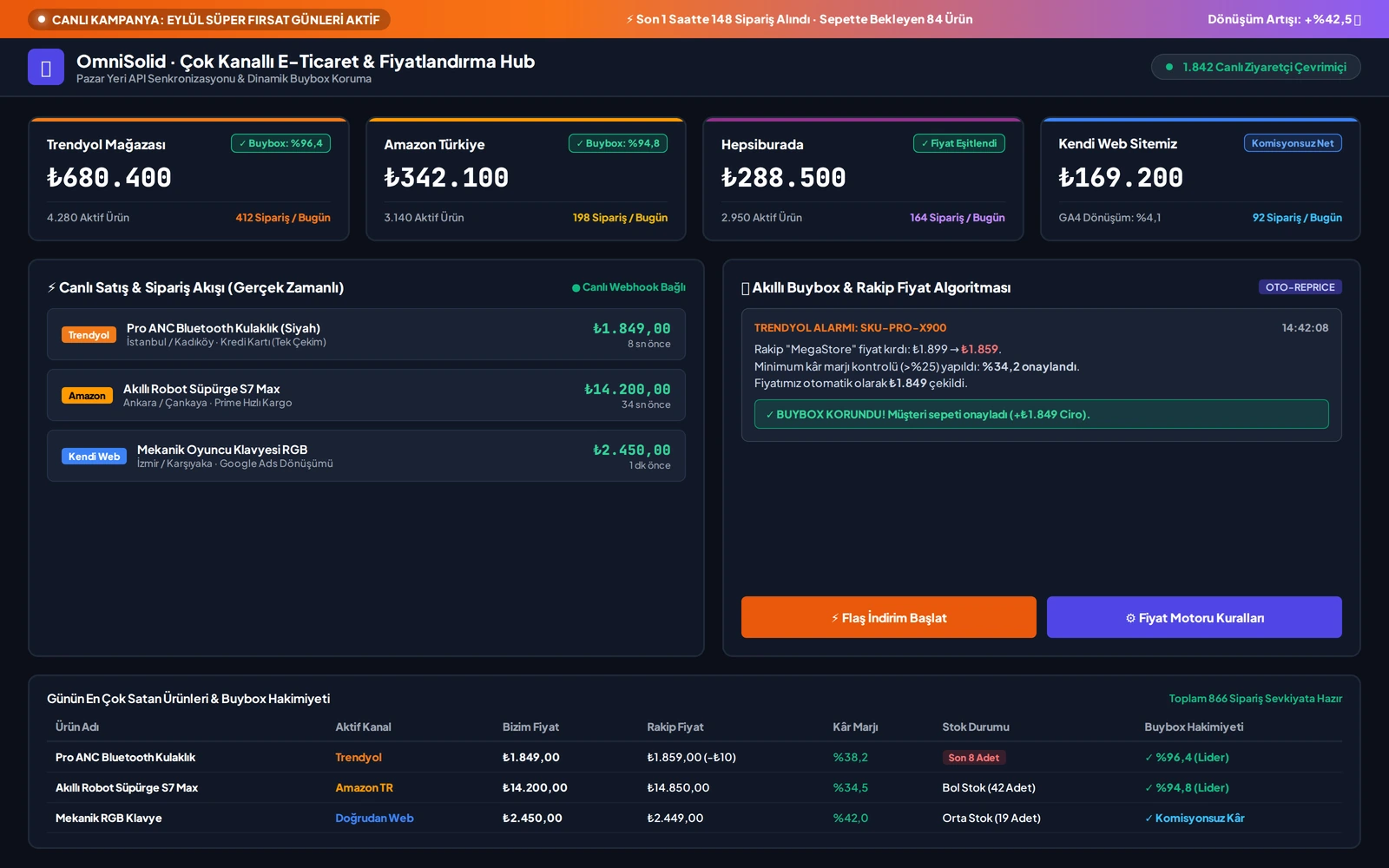
One screen that tracks competitor prices on marketplaces within minutes and shows ad spend next to real profit.
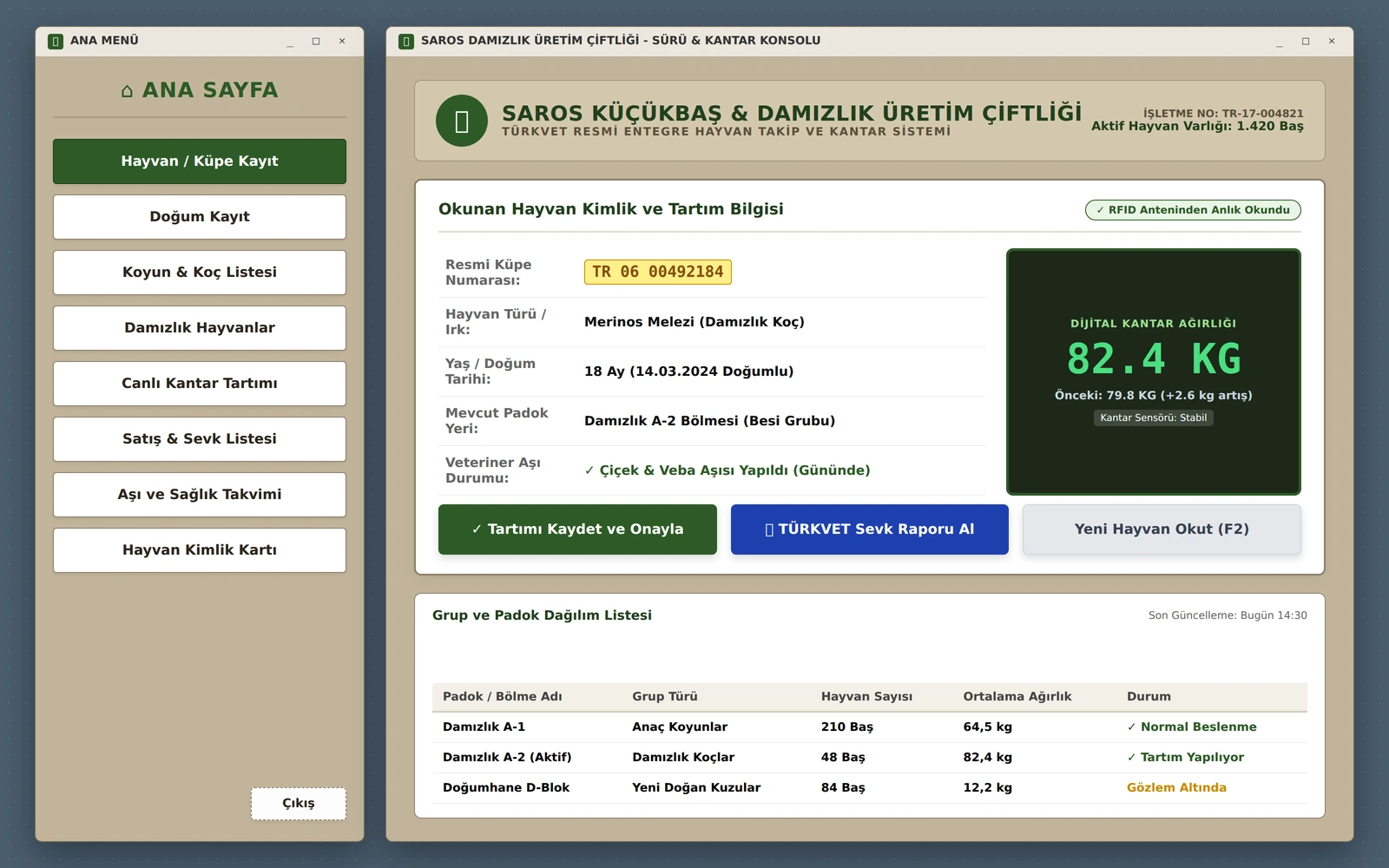
Livestock trading, weighing, vaccination schedules and statutory herd-registry filings run from one screen by reading the ear tag.
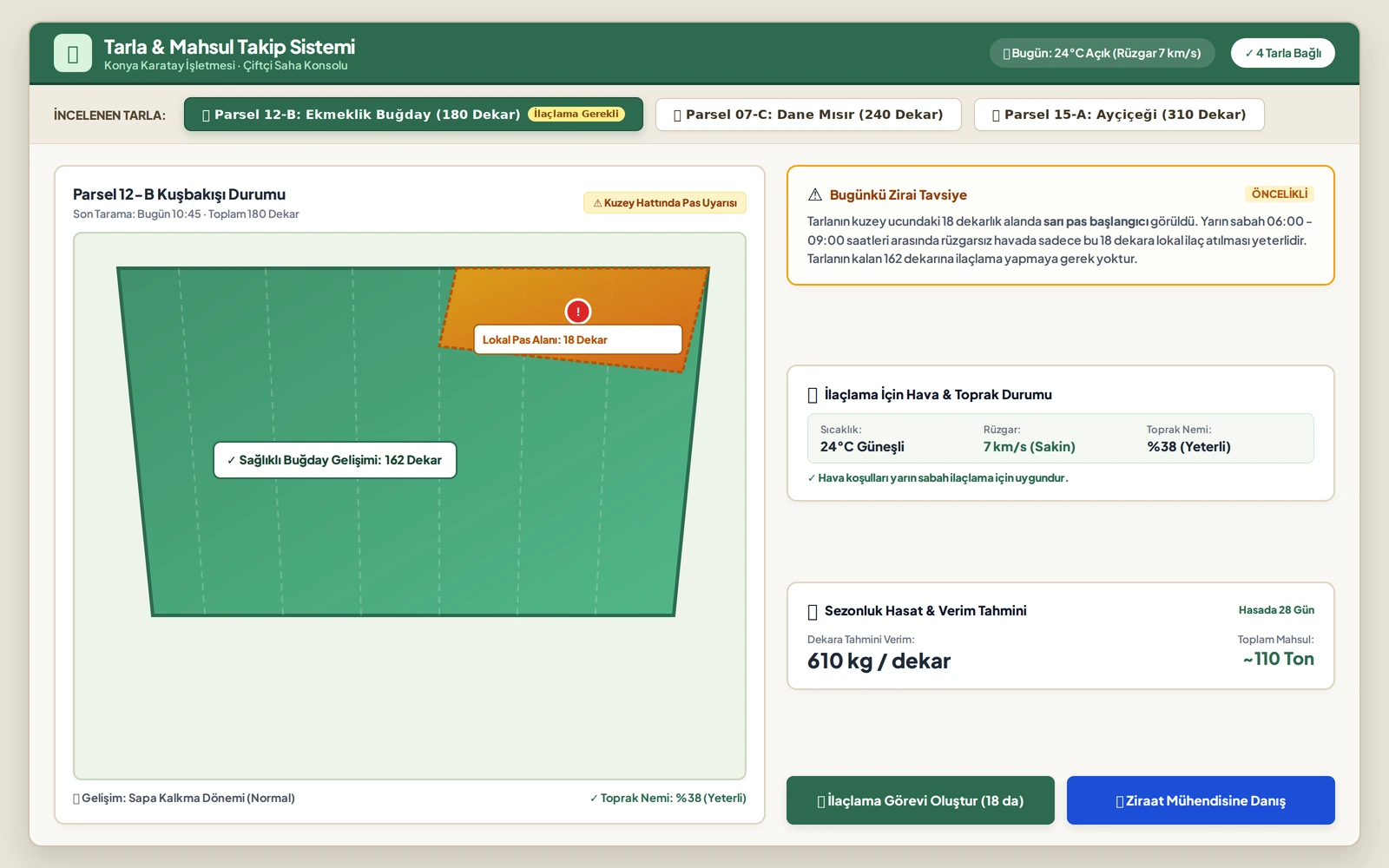
Satellite imagery and photos from the field catch disease early, and spraying and harvest planning are shown in the grower's own terms.
The typical bottleneck we solve differs in every industry, and so does where we start.
Follow the workflows that run between departments. Step in on blockages and backlogs while there is still time.
Bring orders, stock and shift reports into a single flow and cut the time lost on the line to zero.
Match shipment and vehicle records with the ERP as they happen, and follow delay alerts live.
See whether assigned tasks have been completed and stop statutory filings from being left to the last day.
Put an end to spreadsheets that break. Move every reconciliation and report onto an auditable system.
We collect field measurements automatically and take consumption and outage reports off manual entry.
We bring store, e-commerce and warehouse stock into one source of truth that feeds the daily sales dashboard.
We identify exactly what your soil needs the moment it needs it, and bring spraying and fertiliser costs down to a minimum.
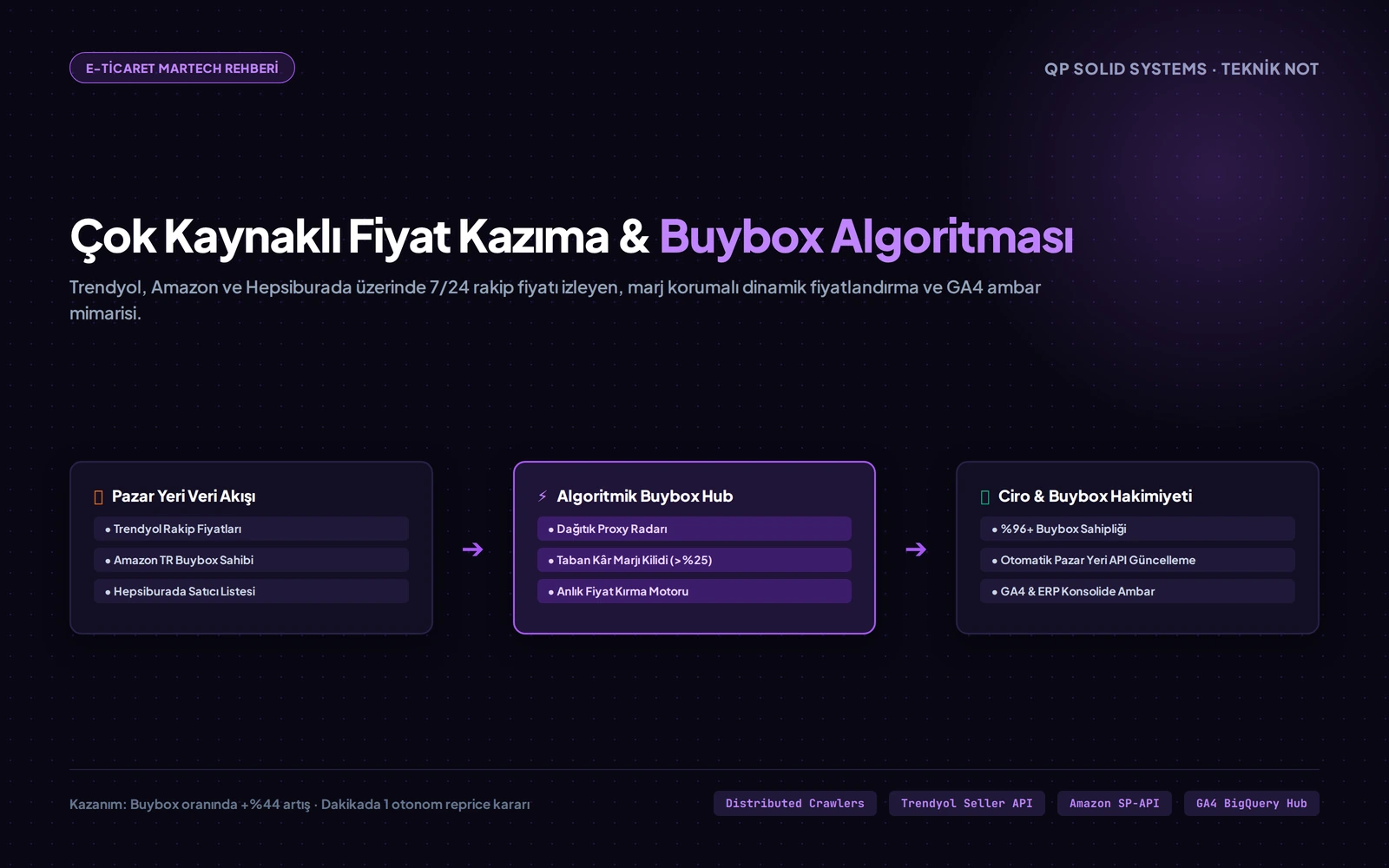
A distributed scraping and algorithmic repricing architecture that defends the Buybox on marketplaces while protecting a minimum margin.
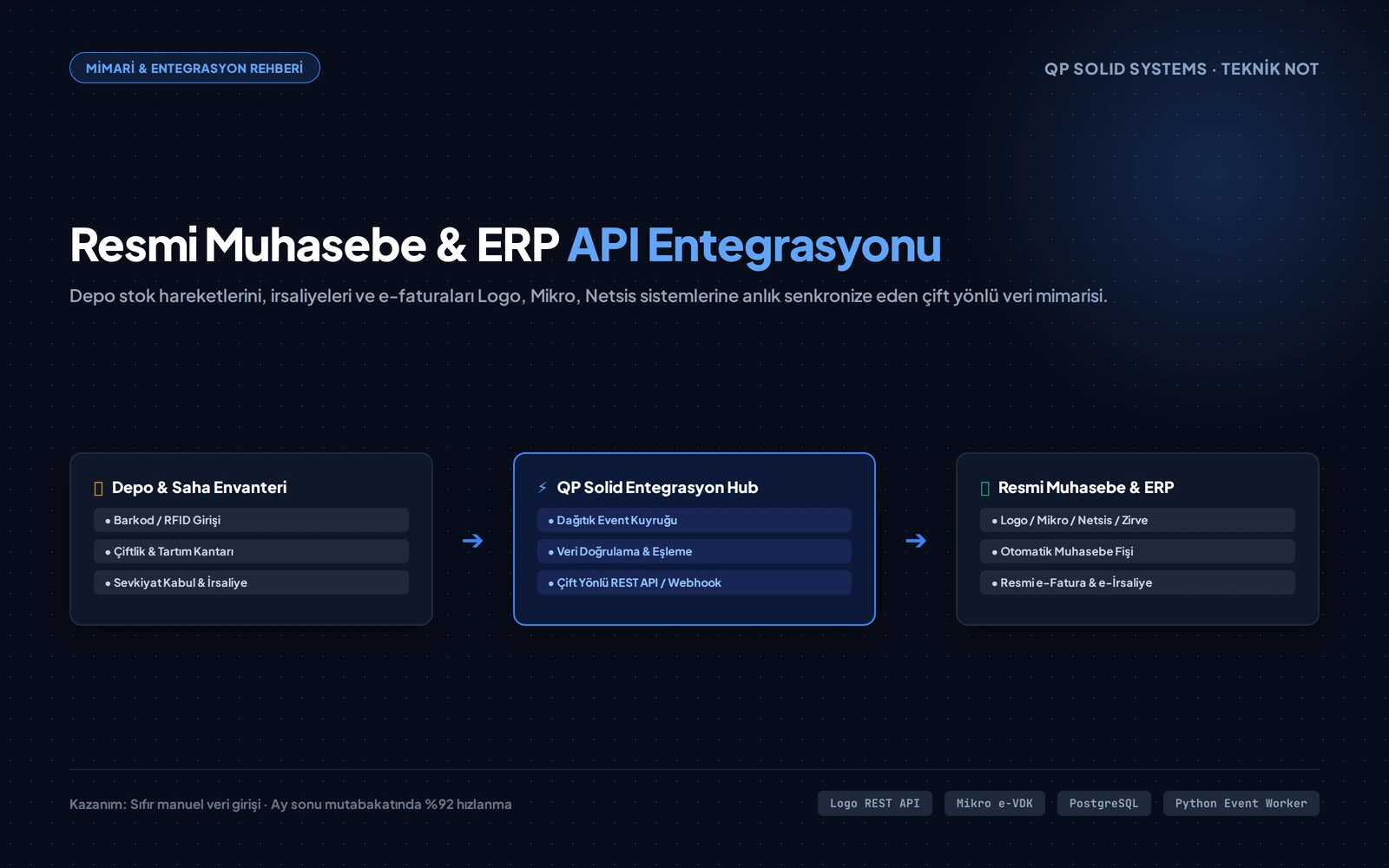
The two-way data architecture that synchronises warehouse movements, weighbridge readings and purchase delivery notes with ERP and statutory accounting systems in real time.
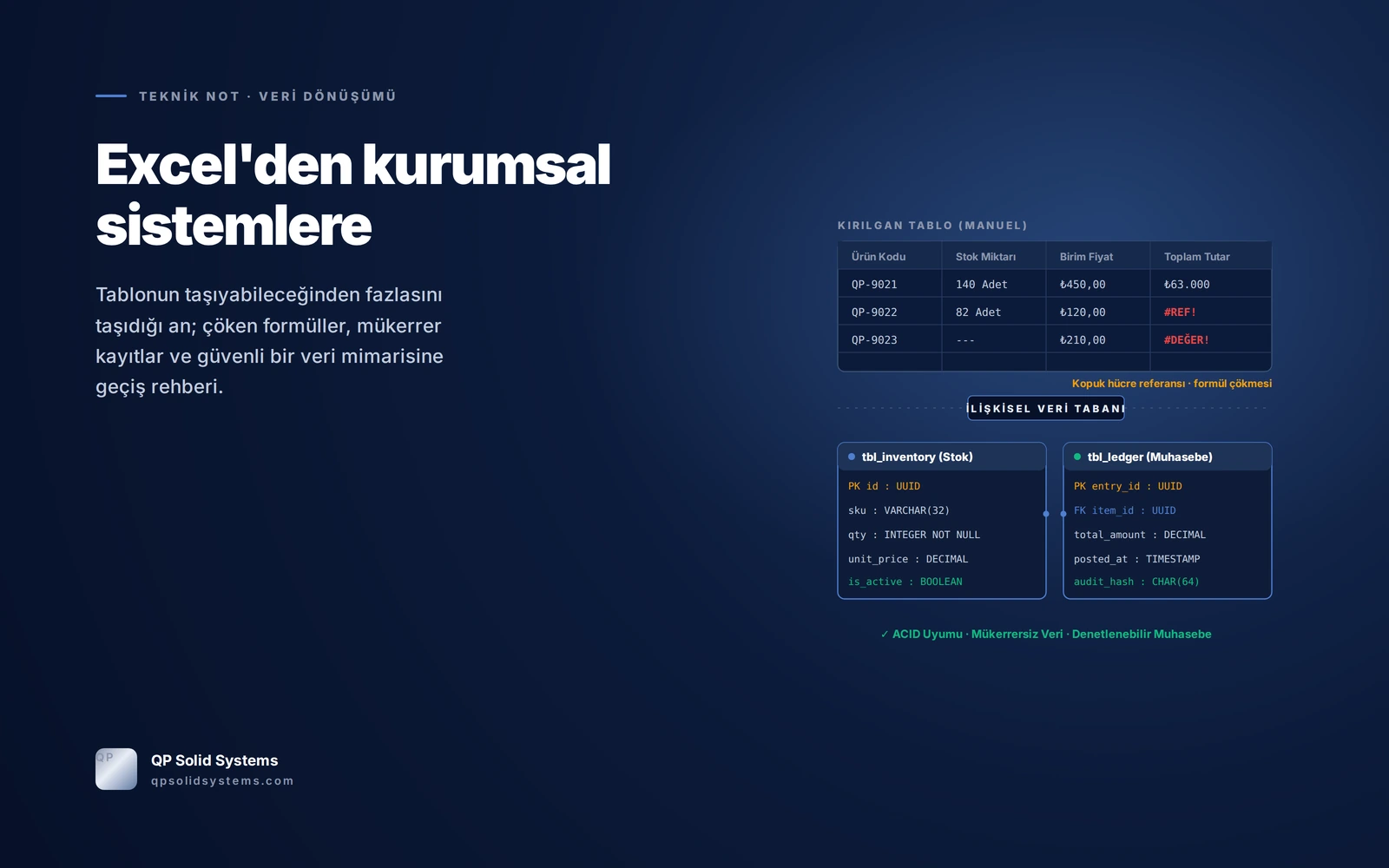
A roadmap for moving a spreadsheet-run operation onto a scalable system: the warning signs, a five-step migration, and where spreadsheets rightly stay.
The questions that come up in almost every first call, answered plainly.
Spreadsheets are not a bad tool; the trouble starts as the team and the workload grow. Files multiply, formulas break quietly, and the question "which file is the right one?" comes back every month. We do not ask you to drop every sheet at once: we start with the single process that costs you the most time and leave the rest where it is.
Yes, and that is the route we recommend. We first get one process working end to end; once the system has proven itself, stock, accounting, field operations or reporting are added step by step. That keeps the budget under control and spares your team a single, sweeping change.
No. What we build does not replace your current software, it talks to it: a two-way connection to packages such as Logo, Mikro and Netsis and to e-invoice services. The investment you made in the software you already know stays where it is; we simply remove the manual carrying in between.
We design the screens around the language of the person who actually does the work; nobody has to write code or learn technical terms. During roll-out we work alongside your team and walk through the most frequent steps together. In practice, getting comfortable usually takes between half a day and a day.
We put the first working version live within two to four weeks on average. During the transition your old method keeps running in parallel; you switch it off once you are satisfied the new system returns the right result. The goal is to move a running operation without putting it at risk.
The data is yours in every case. We can run the system on your own server or in the backed-up cloud environment we manage; the choice is yours. Every user sees only the screens they are authorised for, actions are logged, and we are happy to work under a non-disclosure agreement.
Let's look at your current flow together and lay out, in a clear roadmap, which steps can be automated, the time you can expect to save and where you risk losing data.